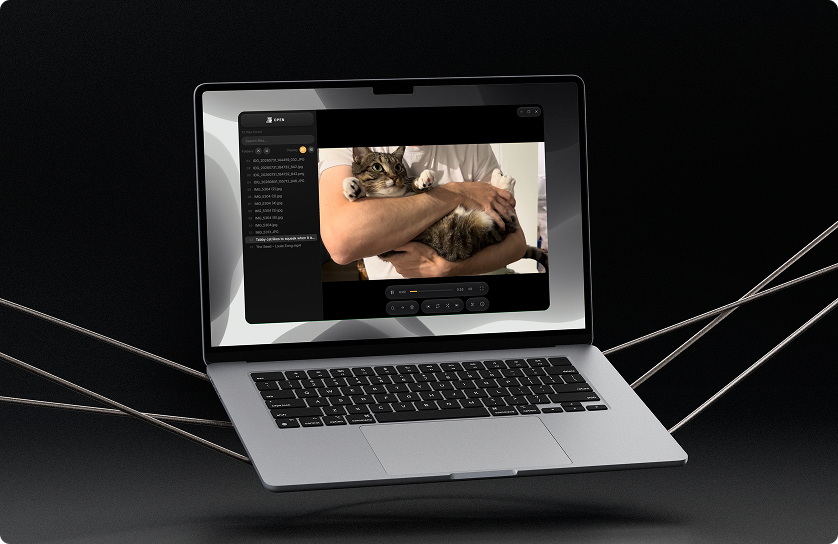
Jaco Media: A desktop media viewer and organizer for managing large, mixed libraries of photos and video.
Browsing, comparing, and organizing a large media collection means bouncing between a file browser, a viewer, and an editor.
Designed and built a desktop media browser that consolidates preview, trim, and export in one window.
Working Electron app with file management, trimming, export, motion, and sound feedback.
A faster way to handle messy media libraries
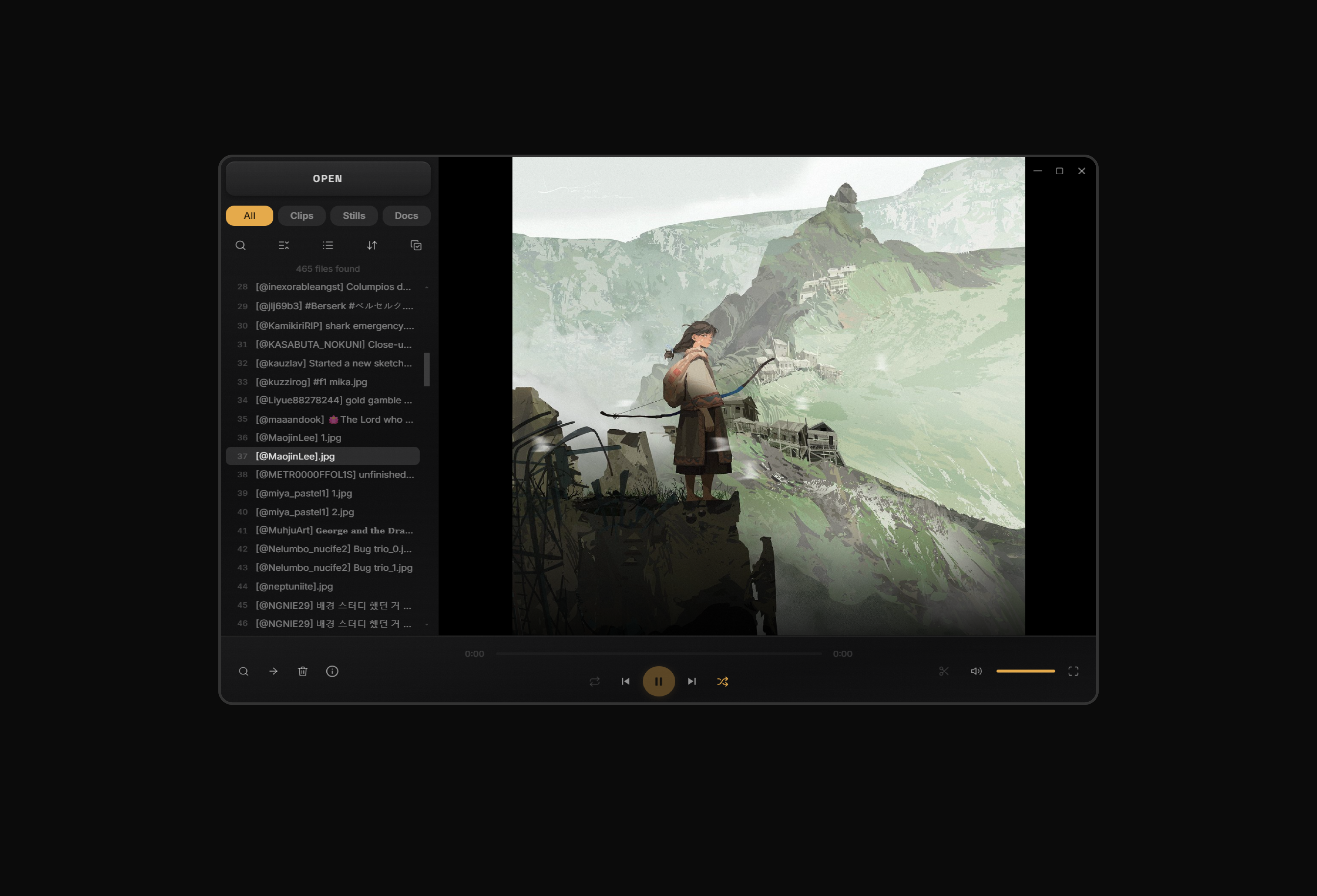
Jaco is a fast media browser for designers and collectors who want to see, compare, and organize years of saved images and video.
It supports formats like WebP, HEIC, AVIF, WebM, and RAW while combining viewing, sorting, trimming, compressing, moving, and deleting in one place. The goal was to reduce the apps and steps between finding a file and acting on it. Jaco is a working Electron application, not a static prototype.
Meet Sam: a growing collection, struggling to view it
A designer with years of saved references, screenshots, and exports hits a wall: no single tool lets them browse, compare, and organize it all without switching apps.
Sam
Designer & Digital Collector
Sam’s drive holds thousands of files across a dozen formats. Without a fast way to see what’s there and compare pieces side by side, old work and references go unused, and the pile keeps growing.
How might we help people with large media collections see what they have, compare it visually, and organize it without bouncing between apps?
Why existing tools fail Sam
Bridge, Quick Look, Eagle, and CapCut each solve one piece of the workflow: format support, zero friction, cataloguing, or fast editing, but none of them let you quickly browse and compare a large collection across mixed formats.
Testing them surfaced five recurring failure points, from slow load times to forcing a strict top-to-bottom review. Each one shaped a feature in Jaco.
Adobe Bridge
Professional media browser, part of Creative Cloud
✅ Strengths: Deep RAW and format support; batch rename and metadata; tight integration Adobe suite
❌ Weaknesses: 20–30 second load time; requires CC subscription; no built-in trim; heavy and complex for simple review passes
Apple Quick Look
Built-in macOS spacebar preview
✅ Strengths: Zero friction; instant; completely free; no install required; always available
❌ Weaknesses: Fully read-only: no trim, delete, or move; no WebP, HEIC, or RAW support without extensions; single-file at a time
Eagle
Design asset manager with 81+ format support
✅ Strengths: Beautiful UI; AI-powered tagging and search; supports a wide range of formats including video and fonts
❌ Weaknesses: Subscription model; files must be imported into its own library instead of browsed where they already live; no trim or playback-focused workflow
CapCut
Free, template-driven video editor built for fast content
✅ Strengths: Capable free tier; fast, template-driven editing with strong built-in AI tools
❌ Weaknesses: Free plan drops a watermark, requires an account; built around producing finished edits, not quickly browsing a large collection
⌛ Slow Start
Bridge and most media browsers take 20–30 seconds to load. By the time you’re in, you’ve already lost your momentum.
⚡ Instant Open
No splash screen, indexing, or account required. Jaco opens directly to the selected folder.
🔒 Read-only Preview
Quick Look only shows you the file, and any other action means opening a different app entirely.
🎯 Dock Actions
Delete, move, and trim are available in a floating dock, so users can act without switching apps or losing their place.
📁 App Overload
Review in your browser, trim in QuickTime or Resolve, organize in Finder. Simple tasks get turned into a chore.
🎯 Dock Actions
Delete, move, and trim are available in a floating dock, so users can act without switching apps or losing their place.
🚫 Format Rejection
WebP, HEIC, AVIF, and RAW files often show broken thumbnails or refuse to open in standard media browsers.
📁 Any Format
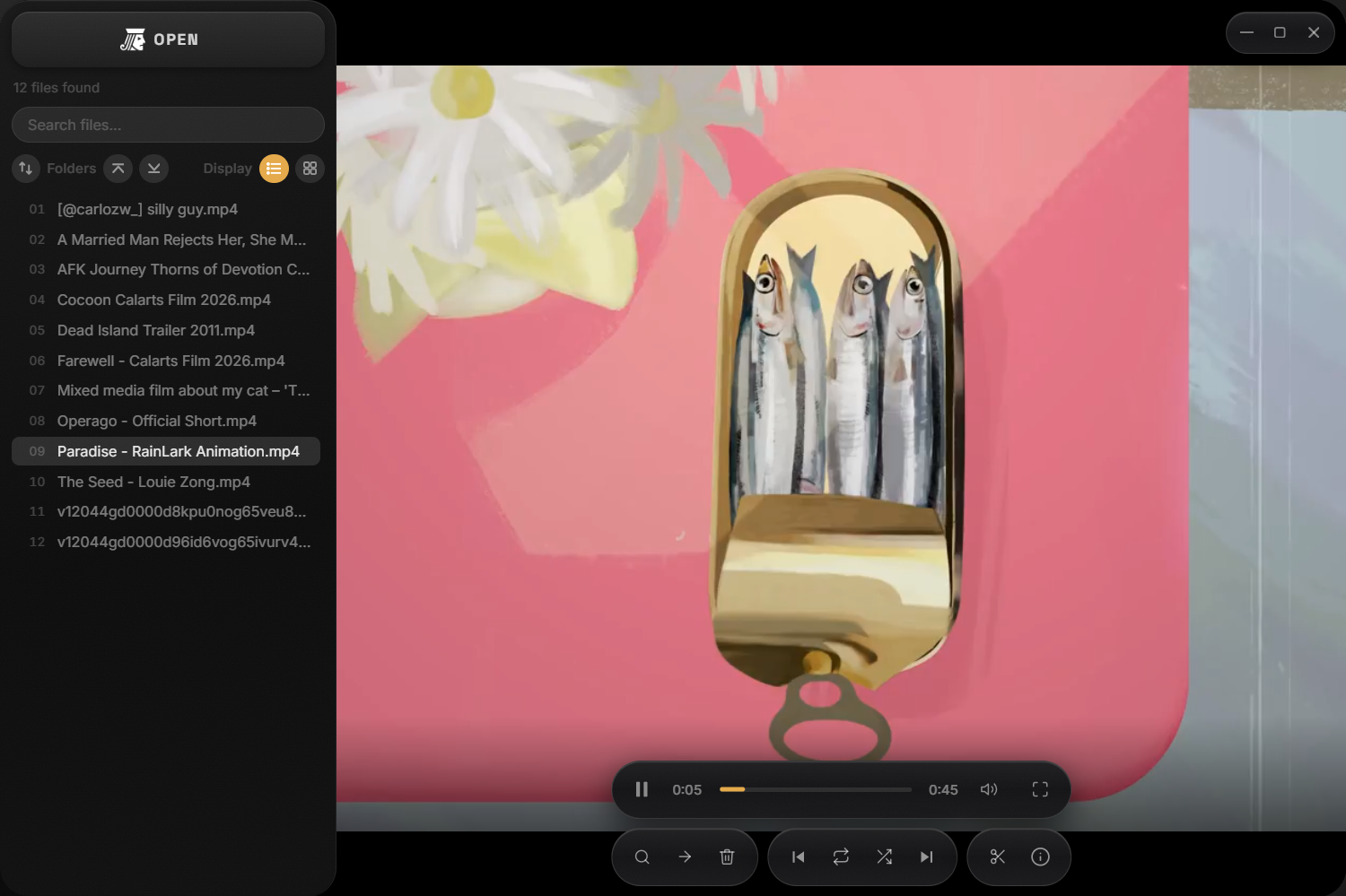
WebP, HEIC, AVIF, WebM, RAW, audio, and virtually any video container is supported. If the file exists, Jaco opens it.
😐 Sequential List
Reviewing 300 files from top to bottom in order is exhausting, and most people abandon the pass halfway and never come back to it.
🔀 Shuffle Mode
Shuffle Mode randomizes the file order for non-linear review.
First draft: it worked, but felt clunky and disorganized
I tested the first fully assembled interface with 5 participants. All five completed the core tasks, validating the workflow.
The interface was the problem: 4 of 5 found the left-panel controls disorganized, and 2 of 5 called it clunky. I kept the core interaction and focused the next iteration on two fixes: structure, then character.
What Testers Approved
✅ 5 of 5 understood the layout: files left, media center, controls below
✅ 4 of 5 felt that each control earned its place
✅ 5 of 5 thought the visual language was cohesive
What Testers Flagged
❌ 2 of 5 said the UI felt clunky, not premium
❌ 4 of 5 said the left panel controls felt disorganized
Fixing structure: three clear regions
To fix the disorganized controls, I studied how Spotify and CapCut organize complex media workflows.
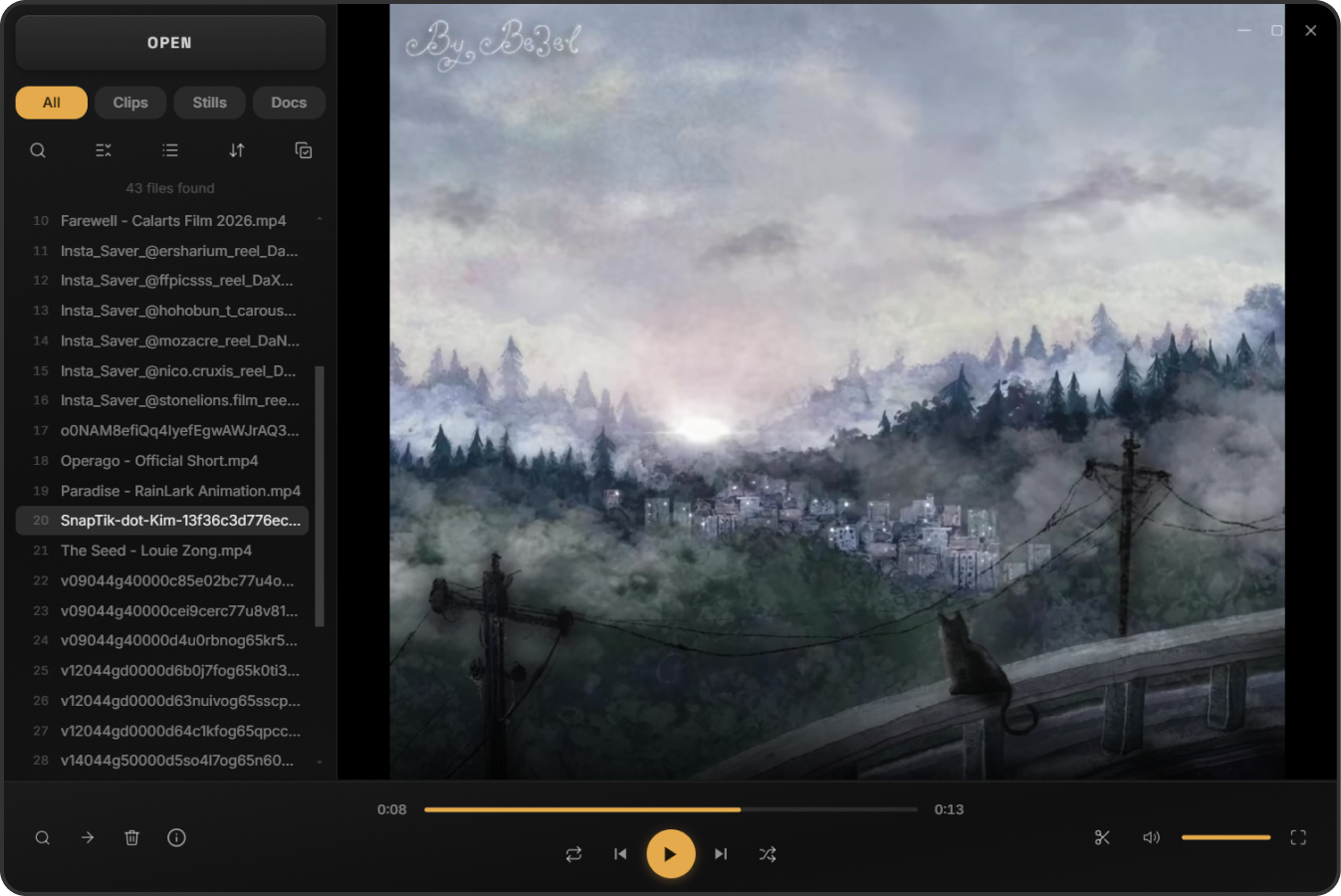
The rebuild replaced floating elements with three defined regions: file browser, media viewer, and contextual controls. Related file actions are now grouped together instead of presented as a clump of buttons.
Fixing structure: controls appear only when needed
Regions fixed where controls live. Progressive complexity fixed when they appear, so Jaco supports powerful operations without feeling like an editing suite.
I kept the default view simple, with actions like trimming and exporting revealing additional controls only when needed.
🔍 Info panel
Every file shows its size, type, resolution or page count, and dates right in the panel, to avoid opening OS properties dialogs just to figure out what you’re looking at.
✂️ Trim
Set in and out points on the timeline and hit export, no separate settings menu or decisions along the way. A quick way to shave dead space off a clip.
📤 Export
Compression and resolution options from high to low, and an estimated output size that updates live as you adjust. Defaults to recommended presets, but manual tuning is available.
Fixing character: an identity from a playing card
To fix the clunky feel, Jaco needed a stronger identity. It comes from the idea of a jack-of-all-trades: one app handling many jobs. The logo turns a one-eyed playing-card jack into a media icon by replacing its eye with a play symbol.
I carried the concept into the interface through brushed-metal textures, a grayscale palette with amber active states, Inter for UI text, and Space Grotesk as a display accent.




Motion and sound make it feel like a tool
Motion and sound carry the identity into every interaction: 9 animations and 6 sound triggers make Jaco feel responsive and tactile.
CSS/JS handles motion, while the Web Audio API synthesizes sounds live. No canvas or WebGL rendering is required.
These interactions give the interface a more physical, tool-like feel without adding a heavy rendering layer.
Motion
🔄 Panel morph
The trim and export panels cross-fade into each other on the same slot, instead of hard-swapping when you move from one to the other.
✅ Job success pulse
A tray row pulses the accent color and its status circle draws in a checkmark the moment a trim, export, or convert job finishes.
🗑️ Row removal collapse
Deleting a file collapses its row, height and opacity together.
Sound
🚪 Panel open & close
A soft rising tone on open, a falling version on close.
🔔 Success chime
A three-note rising chime confirms that a trim, export, or convert job finished successfully.
⚠️ Delete & error
Deleting a file and a failed job share the same descending tone to signify that something didn’t make it.
What I learned
The most useful references for Jaco came from outside the media-browser category. Spotify and CapCut had already solved the broader problem of keeping complex media workflows approachable.
This showed me that competitive research doesn’t have to focus on direct competitors. A product can still be a useful reference when it solves a similar interaction problem.