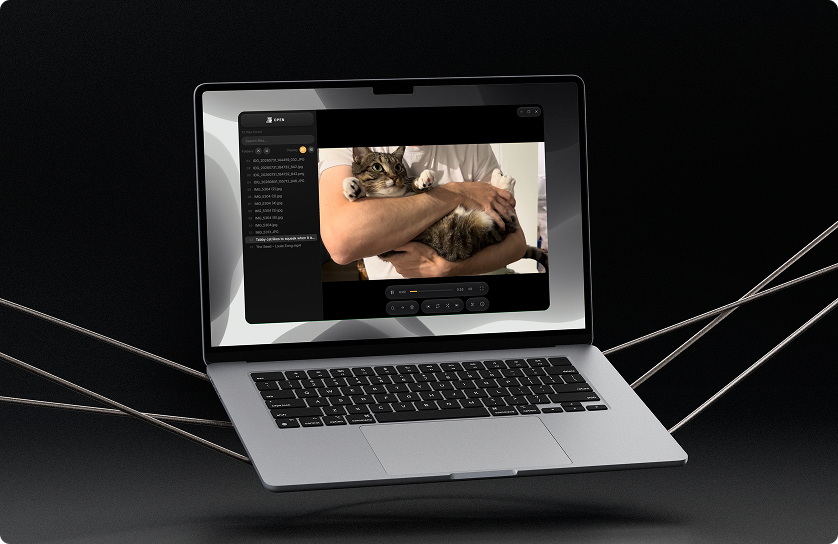
Problems & Solutions
⌛ Slow Start
Bridge and most media browsers take 20–30 seconds to load. By the time you’re in, you’ve already lost your momentum.
⚡ Instant Open
No splash screen, indexing, or need for an account. Jaco opens when you click it and your folder is ready immediately.
🔒 Read-only Preview
Quick Look only shows you the file, and any other action means opening a different app entirely.
🎯 Dock Actions
Delete, move, and trim live in a floating dock, so every action is available in the same window, without switching apps or losing your place.
📁 App Overload
Review in your browser, trim in QuickTime or Resolve, organize in Finder. Simple tasks get turned into a chore.
🎯 Dock Actions
Delete, move, and trim live in a floating dock, so every action is available in the same window, without switching apps or losing your place.
✂️ Built-in Trim
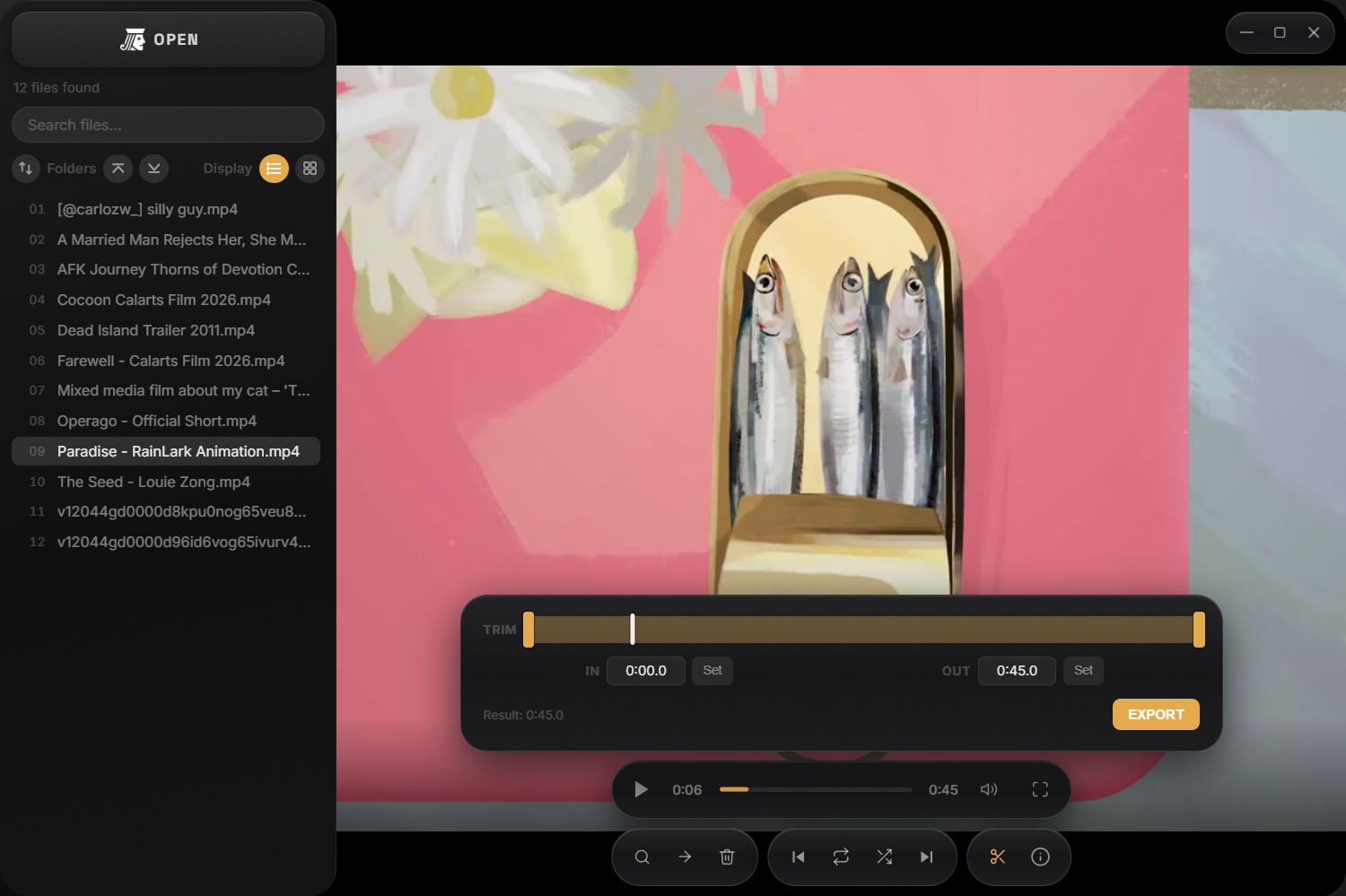
Set in and out points directly in the viewer and export a trimmed clip, without any external application required.
🚫 Format Rejection
WebP, HEIC, AVIF, and RAW files often show broken thumbnails or refuse to open in standard media browsers.
📁 Any Format
WebP, HEIC, AVIF, WebM, RAW, audio, and virtually any video container your camera or client produces is supported. If the file exists, Jaco opens it.
😐 Sequential List
Reviewing 300 files from top to bottom in order is exhausting, and most people abandon the pass halfway and never come back to it.
🔀 Shuffle Mode
Non-linear review randomizes the order of your files.
Market Research
The tools people currently use to browse and review media files share the same blind spots: they either show you the file without letting you act on it, or they make you leave the browser to do anything useful. Jaco approaches this from a different angle, keeping every action in the same window.
Adobe Bridge
Professional media browser, part of Creative Cloud
✅ Strengths: Deep RAW and format support; batch rename and metadata; tight integration Adobe suite
❌ Weaknesses: 20–30 second load time; requires CC subscription; no built-in trim; heavy and complex for simple review passes
Apple Quick Look
Built-in macOS spacebar preview
✅ Strengths: Zero friction; instant; completely free; no install required; always available
❌ Weaknesses: Fully read-only — no trim, delete, or move; no WebP, HEIC, or RAW support without extensions; single-file at a time
Eagle
Design asset manager with 81+ format support
✅ Strengths: Beautiful UI; AI-powered tagging and search; supports a wide range of formats including video and fonts
❌ Weaknesses: Subscription model; built for collecting and cataloguing design assets, not culling media; no trim or playback-focused workflow
CapCut
Free, template-driven video editor built for fast content
✅ Strengths: Capable free tier; fast, template-driven editing with strong built-in AI tools
❌ Weaknesses: Free plan drops a watermark, requires an account; built around producing finished edits, not quickly browsing and culling raw footage
Key Features
🔍 Info panel
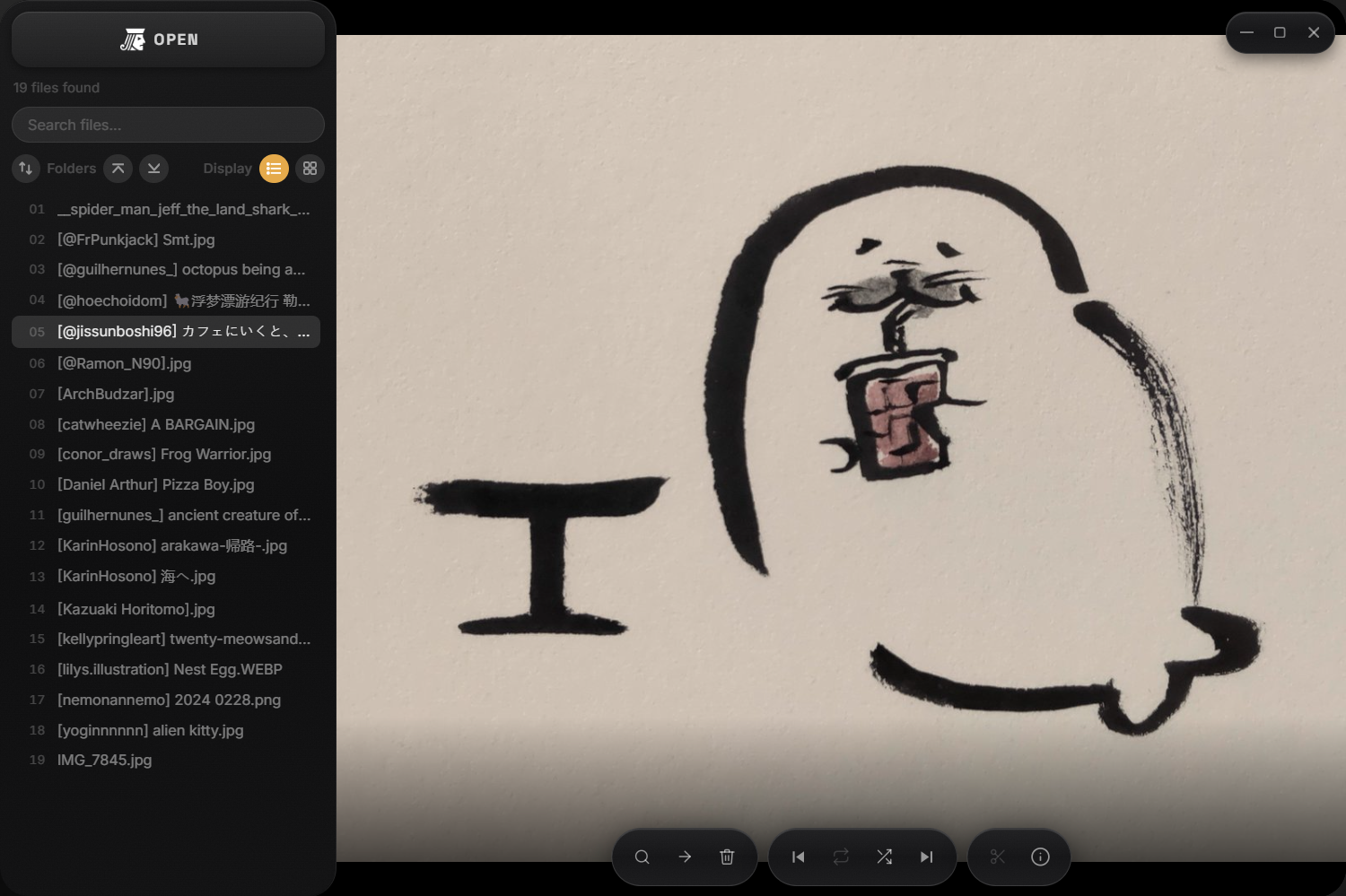
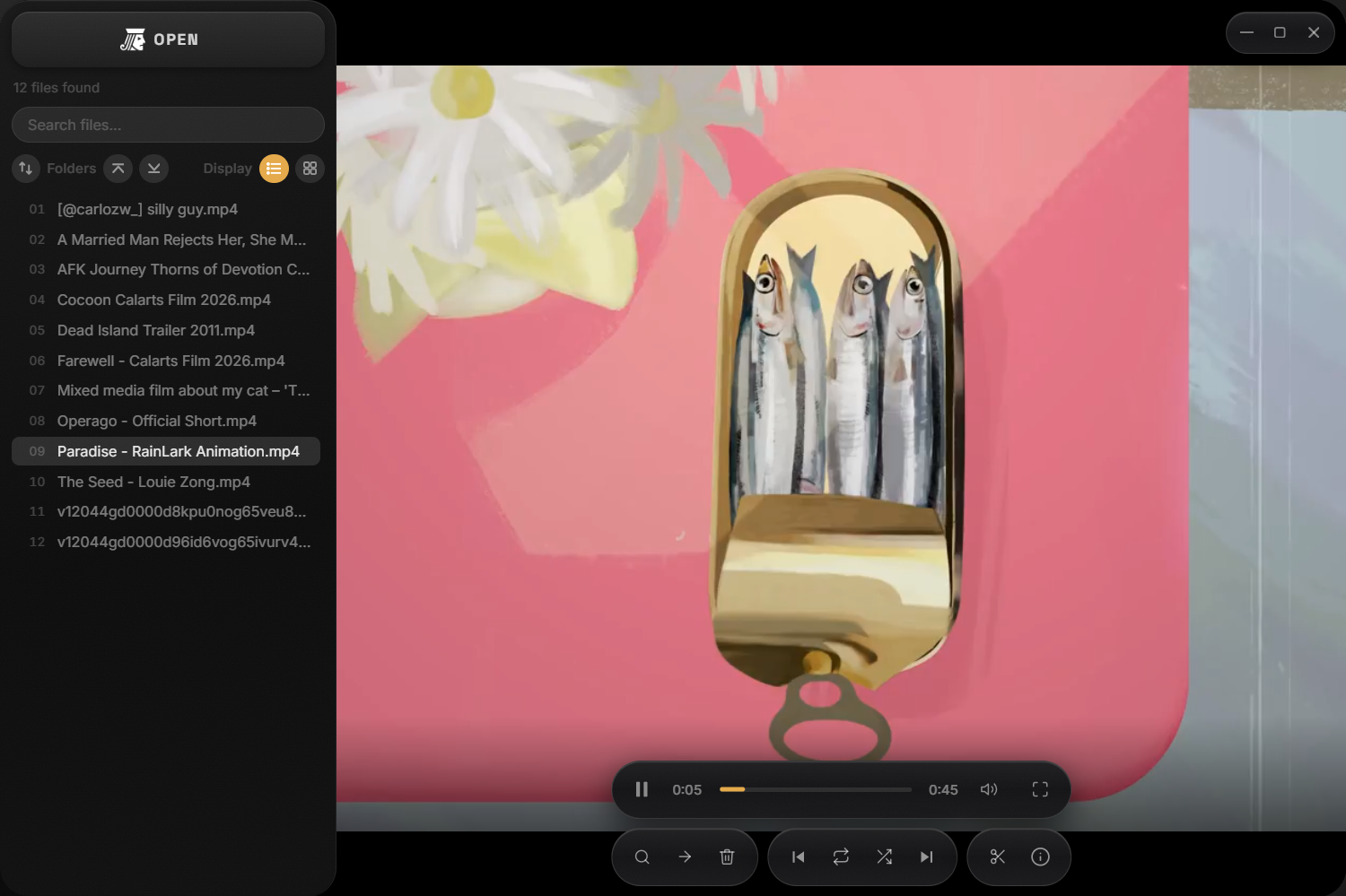
Every file shows its size, type, resolution or page count, and dates right in the panel, to avoid opening OS properties dialogs just to figure out what you’re looking at.
✂️ Trim
Set in and out points on the timeline and hit export, no separate settings menu or decisions along the way. A quick way to shave dead space off a clip.
📤 Export
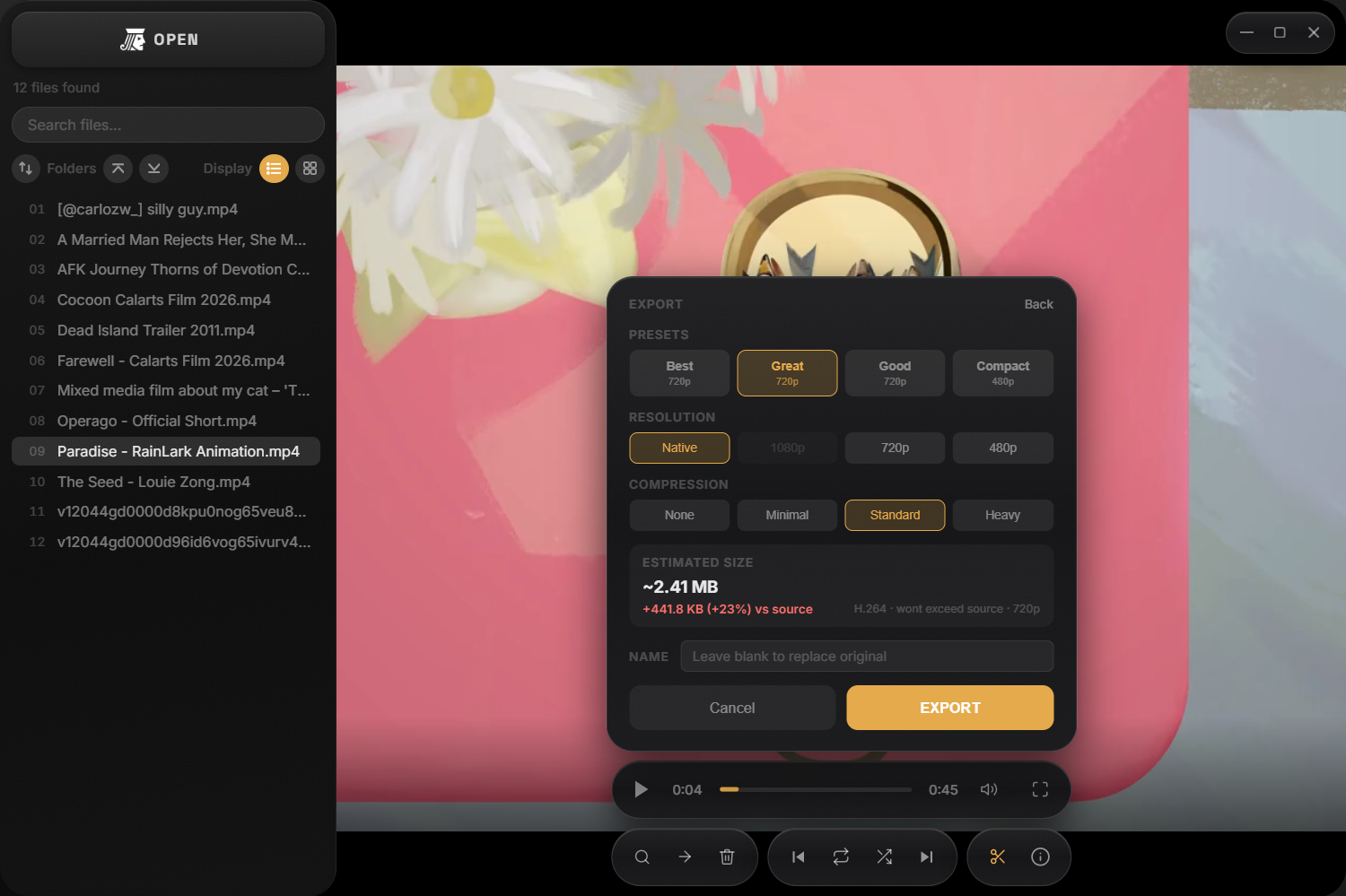
Compression and resolution options from high to low, and an estimated output size that updates live as you adjust. Defaults to recommended presets, but manual tuning is available.
Trim is for speed, export is for precision. When these tools are used in bulk, in whole folders of oversized clips and photos, a multi-gigabyte mess turns into something worth actually keeping.
Visual Identity
Jaco’s visual identity comes directly from its name and purpose: photo and video, and the idea of a jack-of-all-trades, doing many jobs inside one small app. The logo takes that literally, a one-eyed jack from a deck of cards, with the eye redrawn as a triangular play icon.
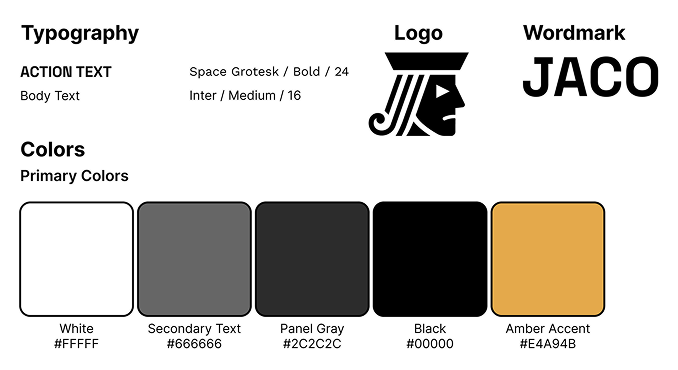
The interface borrows from physical, tactile materials: brushed metal like a well-worn camera body. Typography and color both stay invisible until they’re needed. Inter carries everything functional (file names, timestamps, and labels) to maximize readability at a small size. Space Grotesk shows up in only a few places, like the OPEN button, giving the app personality without adding noise. The UI is almost entirely grayscale to draw attention to the photo or video on screen; amber only appears as an accent color when something active or selected.
Final Screens
Motion, Sound & Prototyping
Jaco runs 9 animations and 6 sound triggers (5 unique sounds) throughout the app. Sounds are synthesized live with the Web Audio API rather than pulled from a sample library, and every animation is a plain CSS/JS transition, nothing rendered on canvas or WebGL. A few of each below.
Motion
🔄 Panel morph
The trim and export panels cross-fade into each other on the same slot, instead of hard-swapping when you move from one to the other.
✅ Job success pulse
A tray row pulses the accent color and its status circle draws in a checkmark the moment a trim, export, or convert job finishes.
🗑️ Row removal collapse
Deleting a file collapses its row, height and opacity together.
Sound
🚪 Panel open & close
A soft rising tone on open, a falling version on close.
🔔 Success chime
A three-note rising chime confirms that a trim, export, or convert job finished successfully.
⚠️ Delete & error
Deleting a file and a failed job share the same descending tone to signify that something didn’t make it.
With motion and sound working together, the app feels more responsive than a static file browser.